
MagStand Leg Base Connector systemUpdated 3 months ago

The MagStand Leg Base Connector system is designed to make working with, transporting, and storing multiple light stands easier, faster, and far more organized. Each connector system consists of four (4) interlocking components that magnetize and mechanically lock together to make a solid, confidence-inspiring connection. These four (4) male-female components include (2) receivers, and (2) connectors installed as counterparts across two different MagStands.

Installation is simple, and once installed, they do not need any tinkering, and you kind of forget they are even there. Each of the four (4) components fastens to the different leg channels along the MagStand legs using the included screws and custom T-nuts, and an allen-head wrench is included for easy installation. These fasteners keep the Leg Base Connector parts firmly seated and aligned to the legs. After installation, the magnetic plates allow two MagStands (or more with additional Leg Base Connector components) to snap together with a confident hold, creating a clean, bundled setup that’s easy to carry, load, or store without stands shifting or tangling.
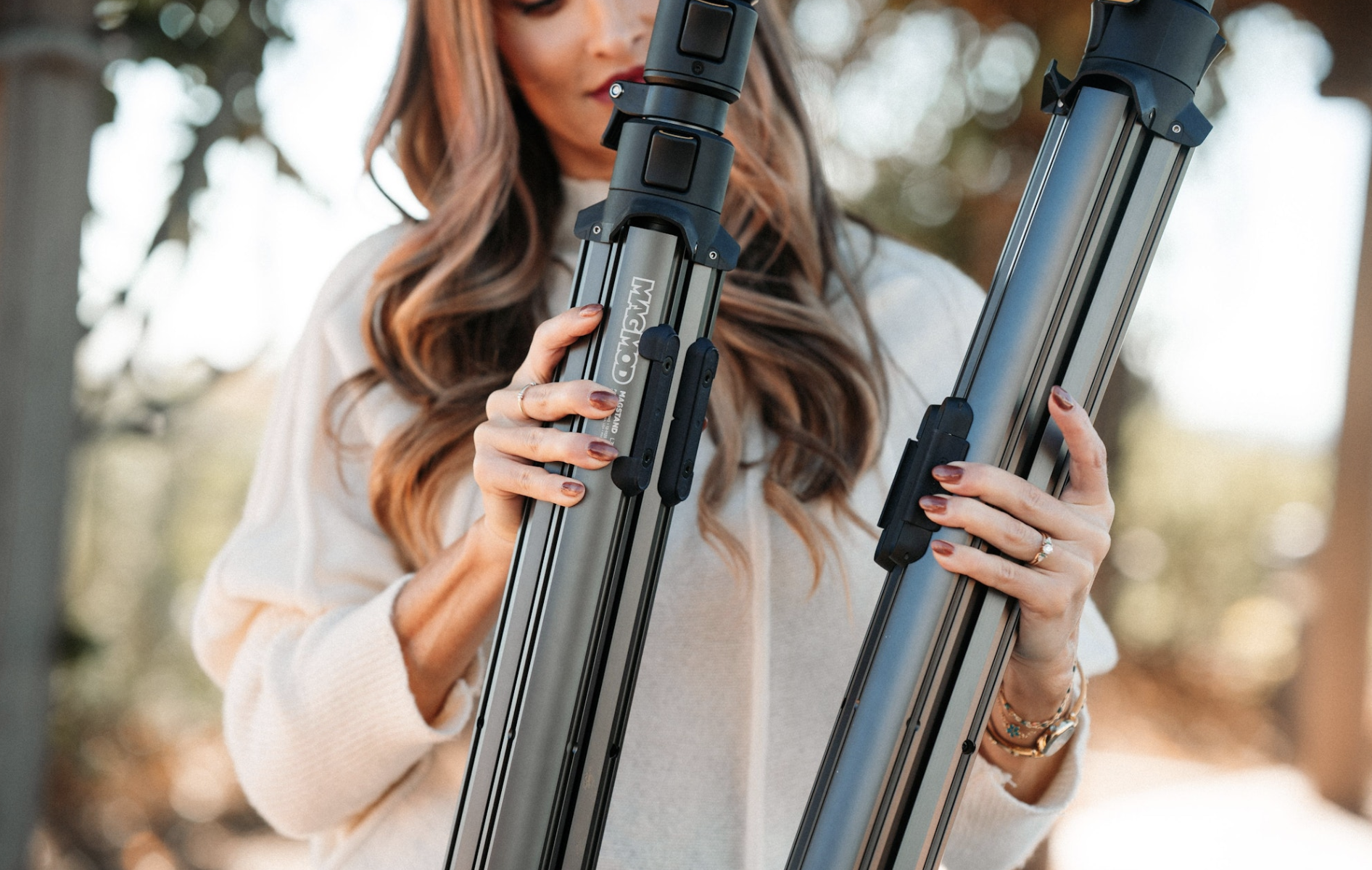
These 4 connector parts can be configured anywhere along the MagStand leg channels to optimize the weight distribution of (2) connected MagStands to your own preferences. The MagStand Leg Base Connector system is the only light stand connecting system that allows users to customize the positioning of the connectors themselves, and the only system that allows connecting different-sized light stands together.
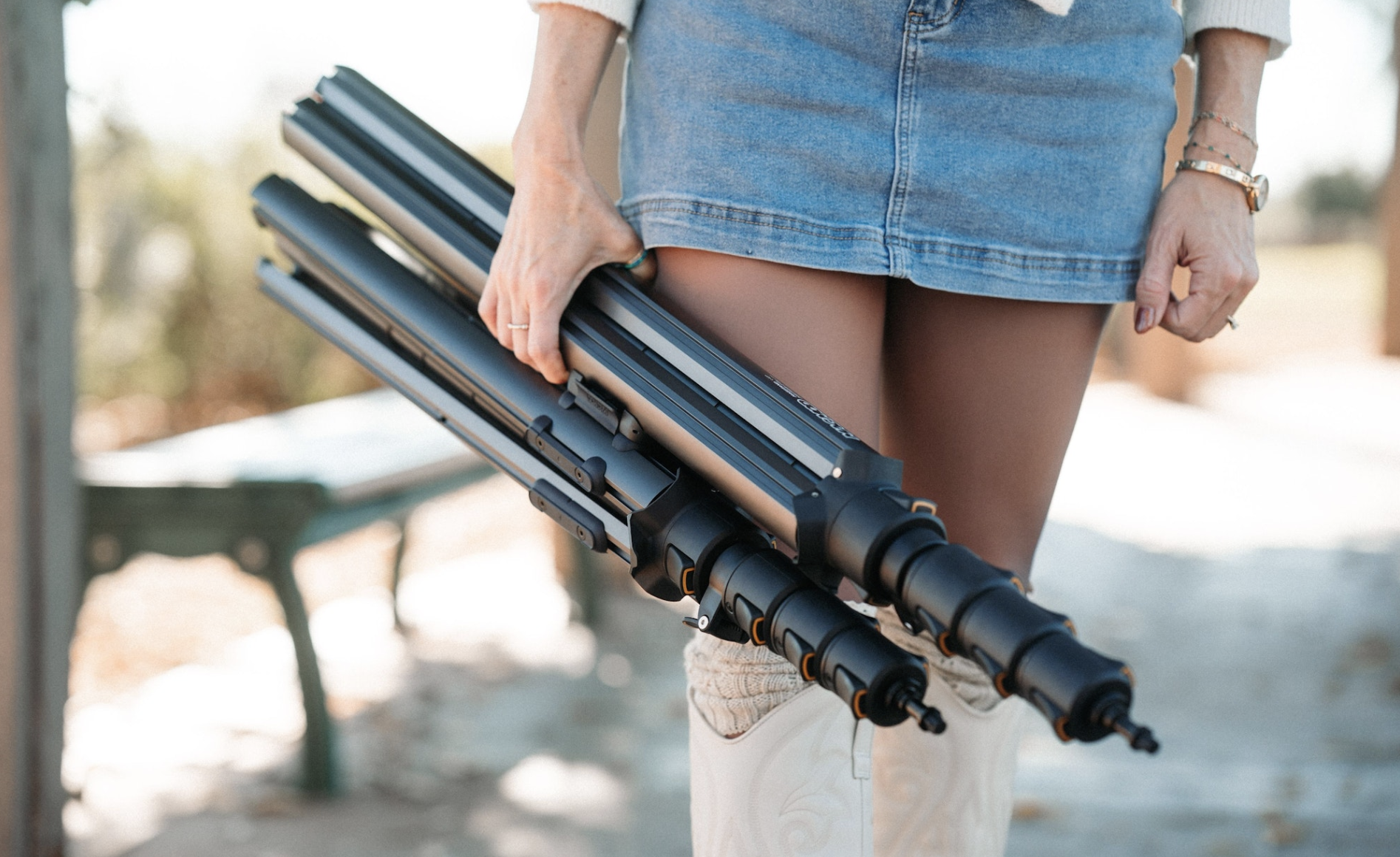
This system is invaluable when moving between locations, packing stands into cases, or staging gear on set. Instead of loose stands clanking together, the MagStand Leg Base Connector system keeps everything neatly connected while still allowing each stand to be separated instantly when it’s time to set up.
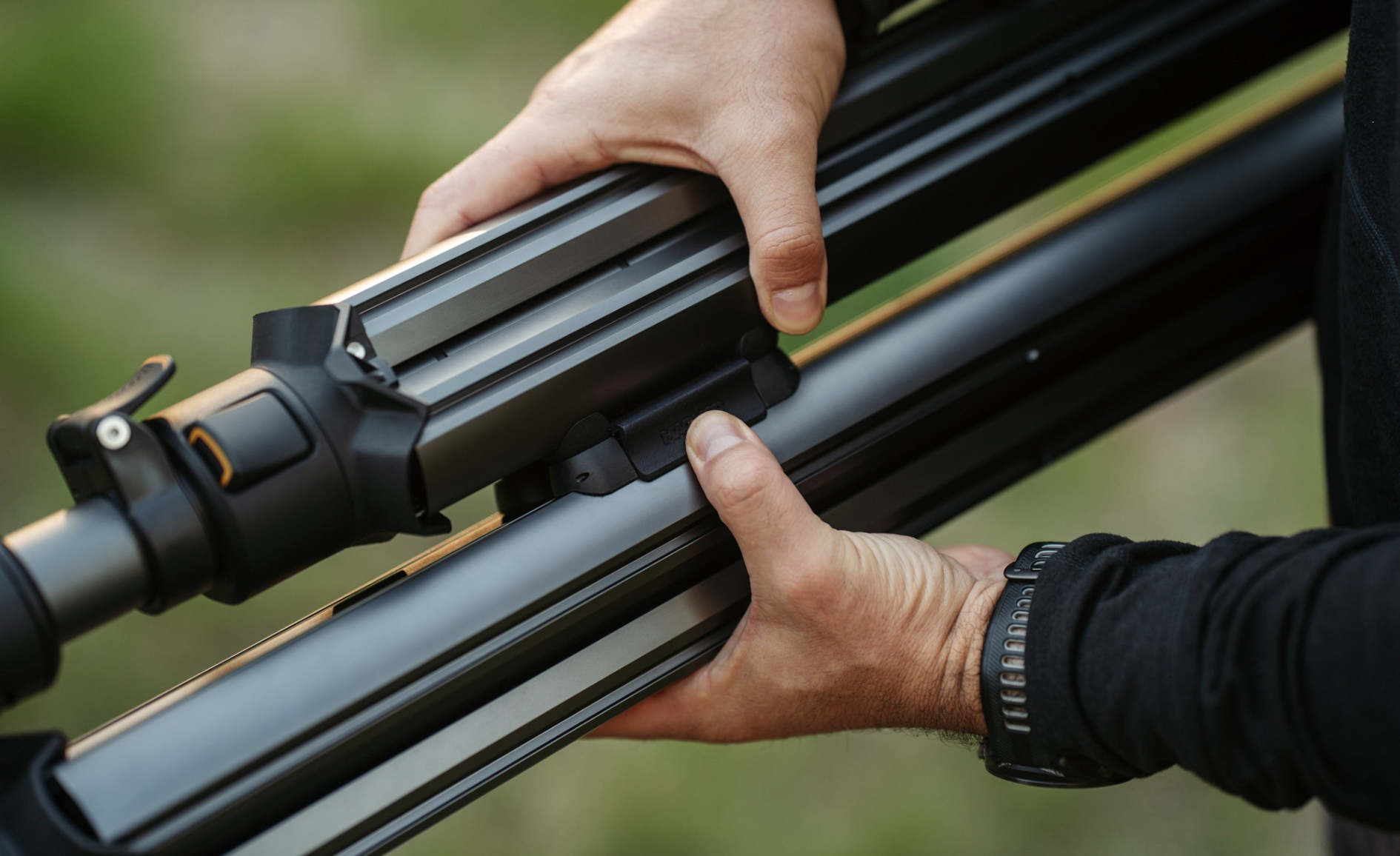
To separate two connected MagStands, press down on one of the “receivers” paddles to disengage the lock mechanism and twist the MagStands apart. They should disconnect effortlessly for a fast, easy setup.
The Leg Base Connector system is part of the MagStand’s modular design philosophy—giving you practical tools that streamline your workflow without adding bulk or complexity.
Need a visual walkthrough?
If you'd rather see the installation in action, this video walks through mounting all four Leg Base Connector components and locking two MagStands together from start to finish:
- When installing, loosely seat each T-nut in the leg channel before threading the screw in by hand, then use the included allen-head wrench to tighten it the rest of the way.
- Slide the connector or receiver to your preferred position along the channel before fully tightening, since where you place them affects the balance once two stands are connected.
- Tighten each screw evenly, rather than cranking down one side first. This helps the plate sit flush against the leg for the most secure hold.
Still have questions?
If you’re wondering whether the MagStand is right for your setup or want help choosing between options, our team is always happy to help through the Support Center.
Thanks for being part of the MagMod journey—we can’t wait to see what you create. 📸
— The MagMod Team