
How to Use the MagStandUpdated 8 months ago
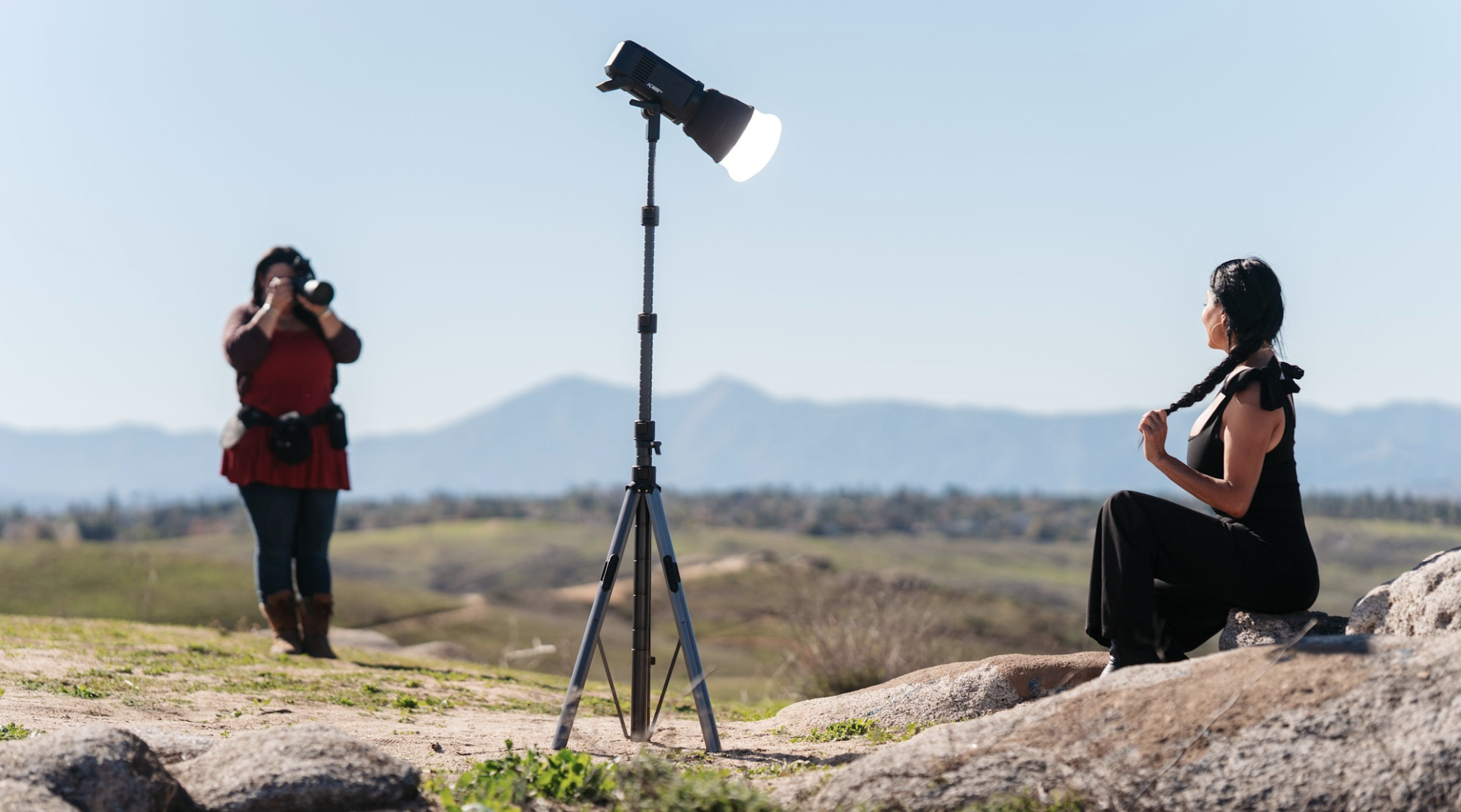
The MagStand was designed to feel intuitive the moment you pick it up. Every movement—from deploying the legs to adjusting the height—was engineered to be fast, controlled, and confidence-inspiring. Whether you’re setting up in a studio, working a wedding, or shooting on location, the MagStand helps you get your light exactly where you need it with minimal effort.
Step 1: Deploy the Base
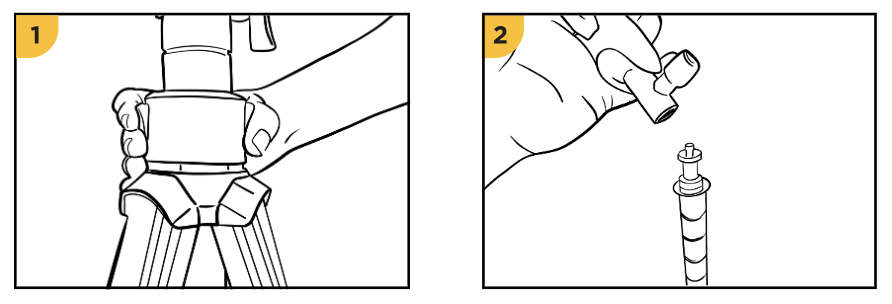
Hold the MagStand upright with the base resting on the ground.
Squeeze the two buttons located on the base segment.
While squeezing, gently push downward to open the legs.
The legs will deploy smoothly and evenly in one fluid motion. You can set the MagStand into a wide footprint for maximum stability or a narrower configuration when working in tighter spaces. Both positions are designed to feel solid and secure.
Step 2: Attach Your Light or MagShoe
Thread your light, accessory, or MagShoe onto the mounting stud at the top of the stand.
Tighten until snug.
The MagStand features a precision-machined stainless steel ¼-20 mounting stud. If you’re using a speedlight, the MagShoe 2 is the recommended mounting option for the fastest and most secure setup.
Step 3: Extend the Stand Height
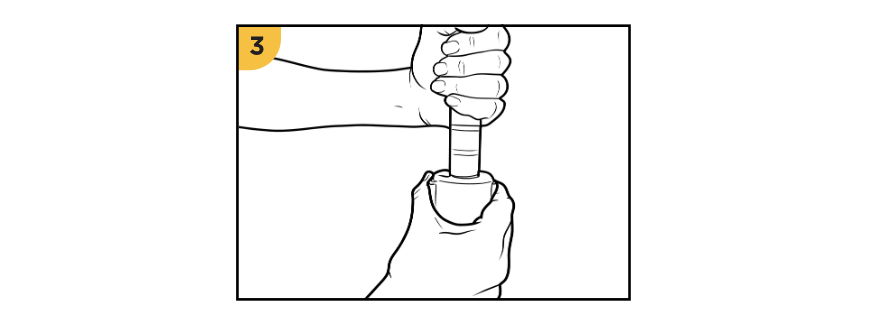
Start with the uppermost section and work your way downward.
Press the auto-lock buttons located directly below the section you want to raise.
Slide the section upward to your desired height, then release the buttons.
Each section locks automatically with a clean, confident click. The auto-locking design acts as a built-in safety feature—if you let go at any point, the stand locks in place to prevent sudden drops.
Step 4: Insert or Remove the Monopole (Optional)
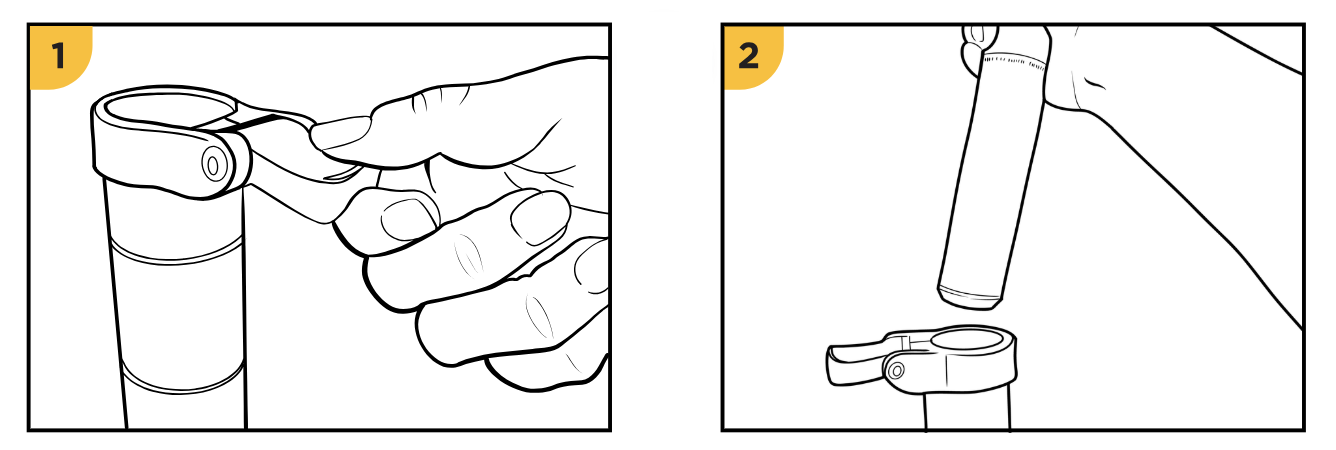
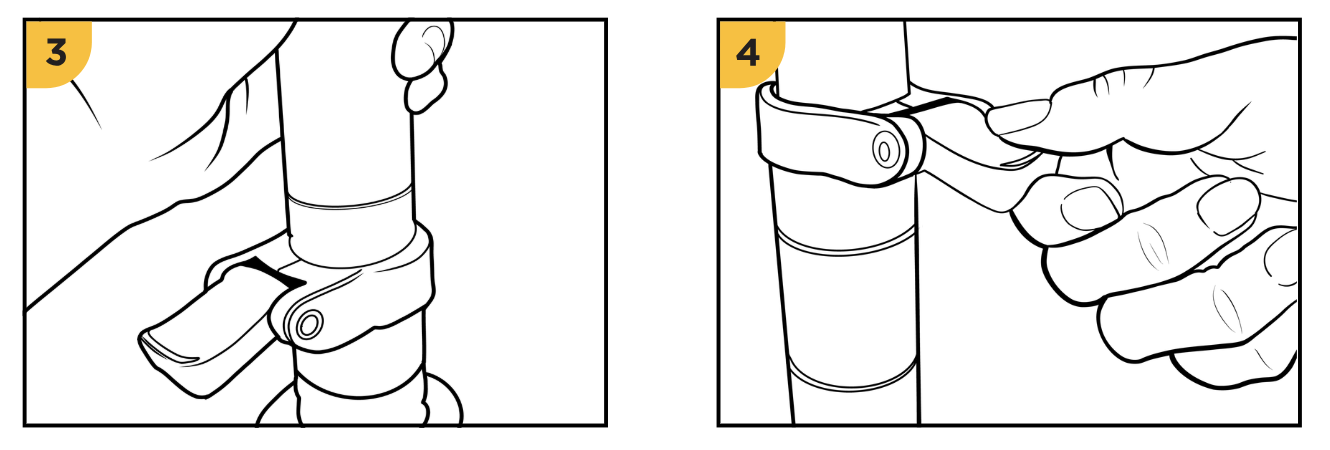
The MagStand includes a removable center pole that can also be used as a handheld monopole.
To insert the monopole:
Flip up the locking lever at the top of the base.
Slide the monopole straight down into the stand.
Make sure the etched indicator line on the monopole stays inside the base, never above it.
Lower the lever until it snaps closed to lock the monopole in place.
To remove the monopole:
Flip the lever up to release it.
Slide the monopole straight out.
The soft matte finish makes the monopole comfortable to hold and ideal for fast-moving situations like receptions, events, or run-and-gun shoots.
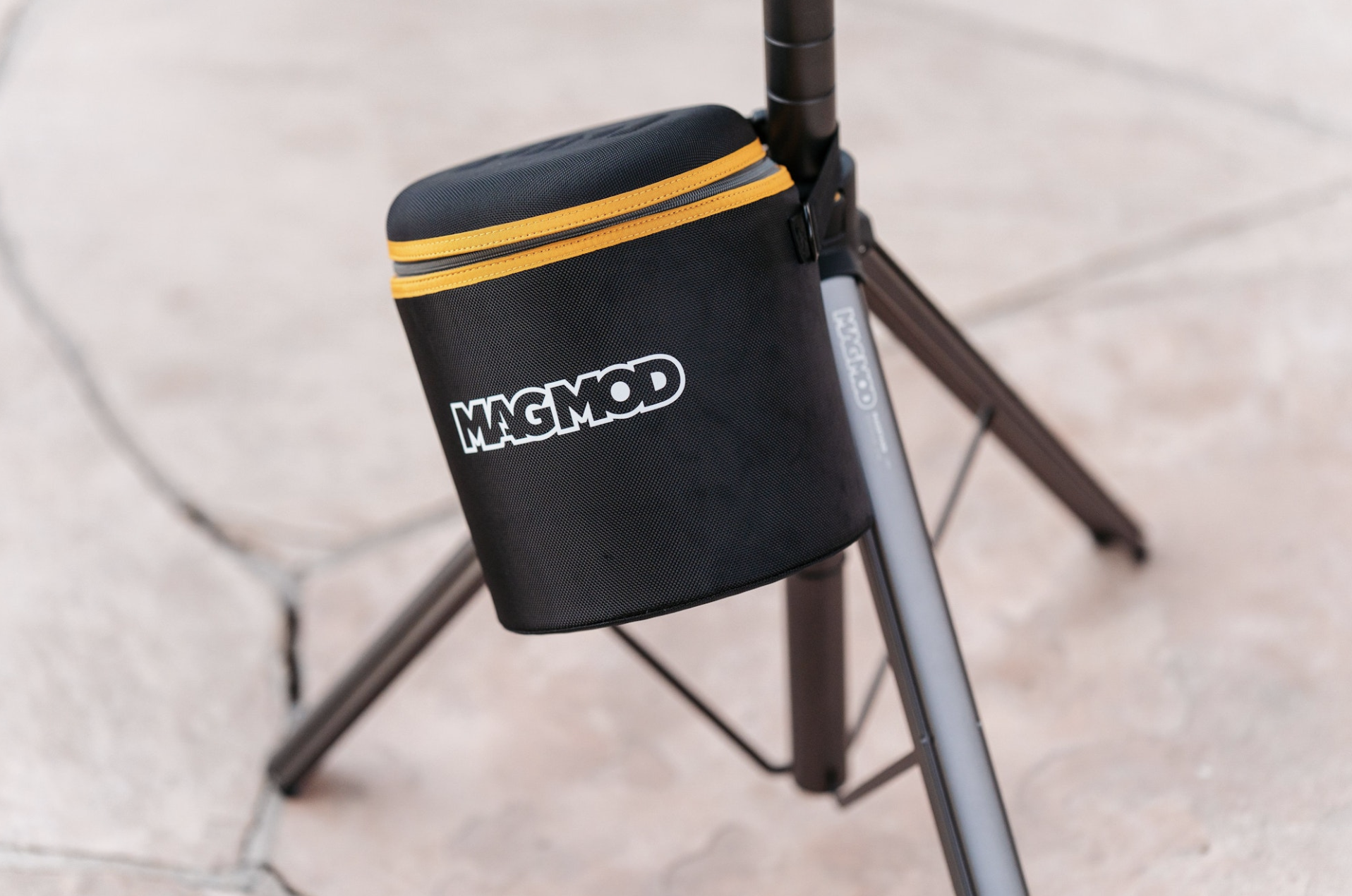
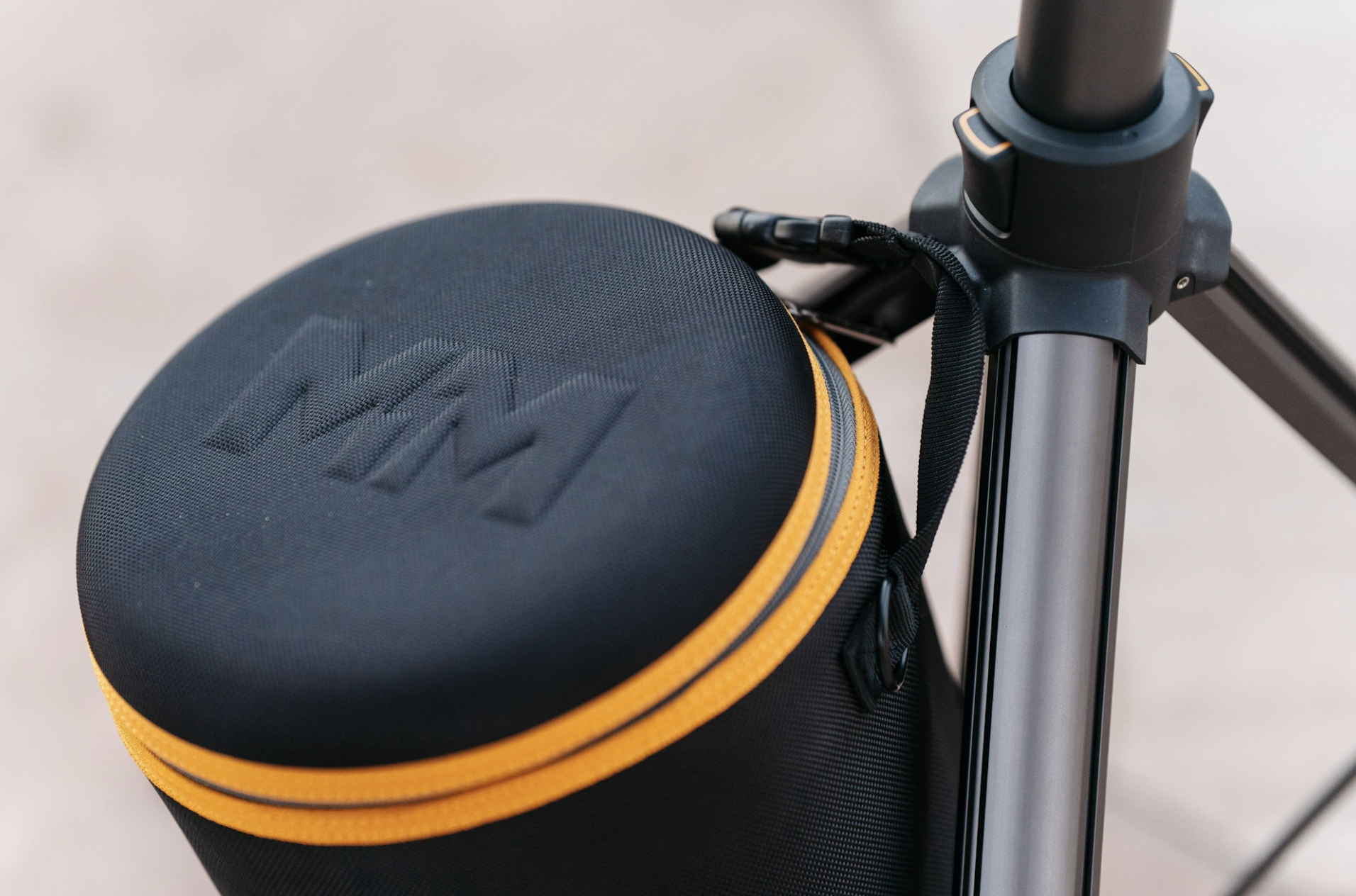
Step 5: Add Weight for Stability (If Needed)
For extra stability—especially outdoors or when using heavier modifiers—use the integrated utility hook near the base of the stand. Hang a sandbag or camera bag to lower the center of gravity and help keep the MagStand firmly planted.
Step 6: Collapse the MagStand
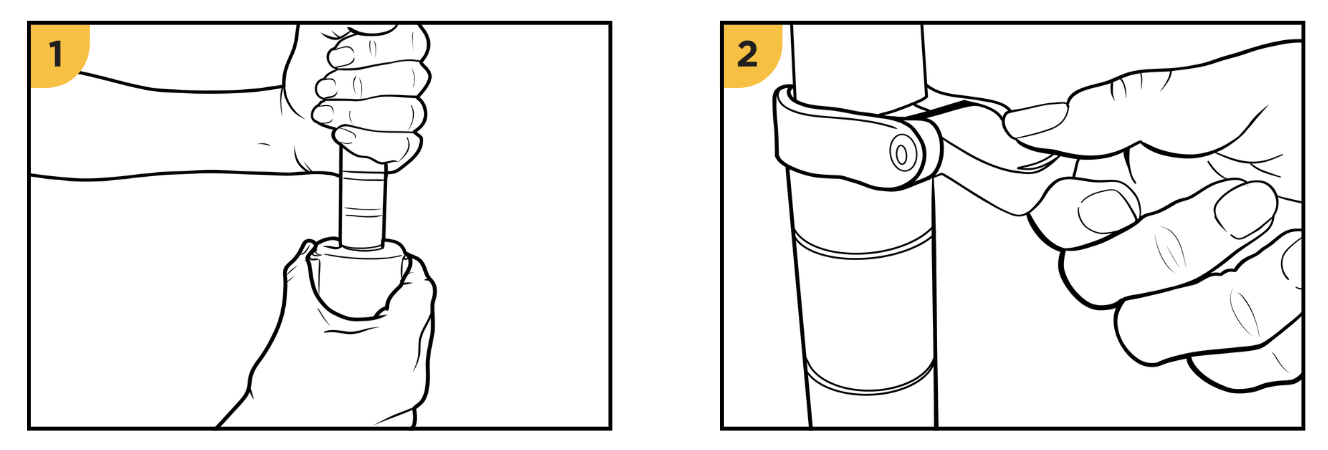
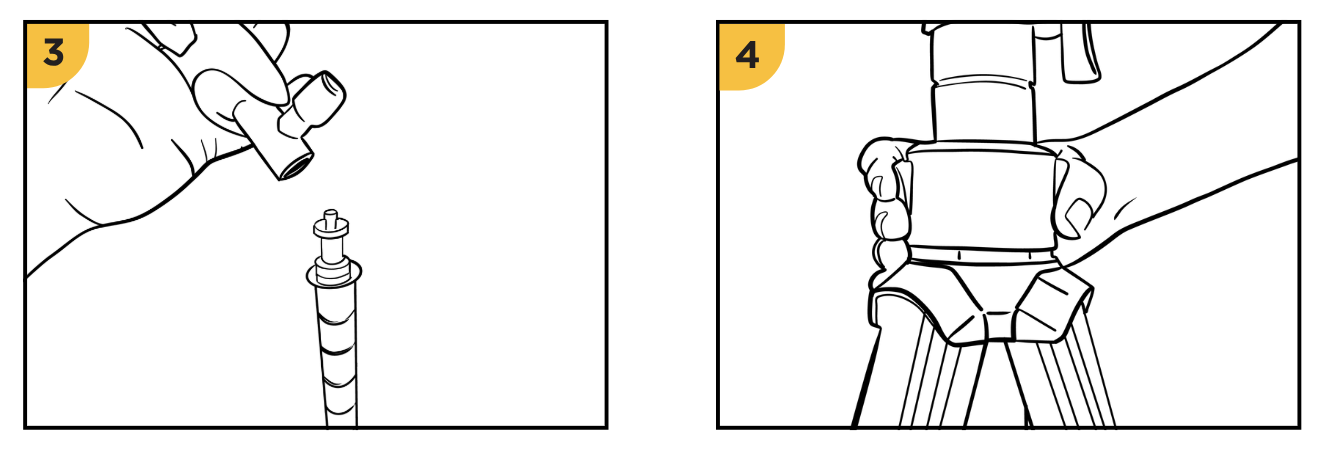
When you’re ready to pack up:
Keeping one hand on the pole, squeeze the side buttons on each section to lower them one at a time, starting from the lowest section.
If fully extended, flip the monopole lever to safely lower the center pole.
Remove your light or accessory from the top of the stand.
With the stand on the ground, squeeze the base buttons and lift the stand upward.
The legs will fold inward automatically in a smooth, one-handed motion.

Ready for Travel
Thanks to its modular design, the MagStand breaks down into a compact size that fits easily into standard checked luggage. Multiple stands can be packed together, making it easy to travel with full-height, professional support—without oversized bags or added hassle.
Looking for Help?
We’ve got your back! If you have questions about setting up your MagStand, using specific configurations, or choosing the right setup for your shoot, send us a message 👉 Contact Support 👈. We’re always happy to help.
Thanks for being part of the MagMod journey—keep rocking that camera! 📸
— The MagMod Team